
Screenshots


App details
- Updated
- Feb 26, 2010
- Language
- English
- Category
- Mobile
SoftPas in:
This product is also available in the following languages:
About Screensaver Player
Download Screensaver Player – Screensaver Management, Custom Scheduling, Playlist Creation
Overview
Screensaver Player is a mobile application designed to bring the functionality of desktop screensaver management to smartphones and tablets. While traditionally associated with computer systems, this app reimagines the concept for mobile devices, allowing users to organize, schedule, and enjoy visual screensavers on their handheld screens. The app serves as a digital showcase for visual content, appealing to users who appreciate dynamic, engaging backgrounds that activate during idle periods. It is particularly suited for individuals who value aesthetic customization, digital art enthusiasts, or those seeking a unique way to personalize their device’s idle state.
The application helps solve the common issue of visual monotony by offering a structured way to rotate and display screensavers, ensuring the device’s screen remains visually interesting even when not in active use. It caters to a niche but growing audience of users who treat their mobile devices as personal canvases. Whether used during meetings, charging sessions, or simply as a digital frame, Screensaver Player enhances user engagement with their device’s idle experience. Although the developer did not provide additional background details, the app’s release date of February 26, 2010, suggests a long-standing presence in the mobile utility space, indicating reliability and stability over time.
Key Features & Functionality
- Easy Screensaver Management: Users can install, uninstall, and select which screensavers appear on their device. This centralizes control over visual content, allowing for quick access and removal of unwanted or outdated screensavers.
- Custom Time Scheduling: The app enables users to assign specific screensavers to different times of the day. For example, a calming nature scene can play in the morning, while a futuristic animation runs during evening hours, creating a personalized daily rhythm.
- Adjustable Settings: Individual screensavers can be fine-tuned for screen resolution, playback speed, and visual effects. This ensures optimal display quality across various device types and screen sizes.
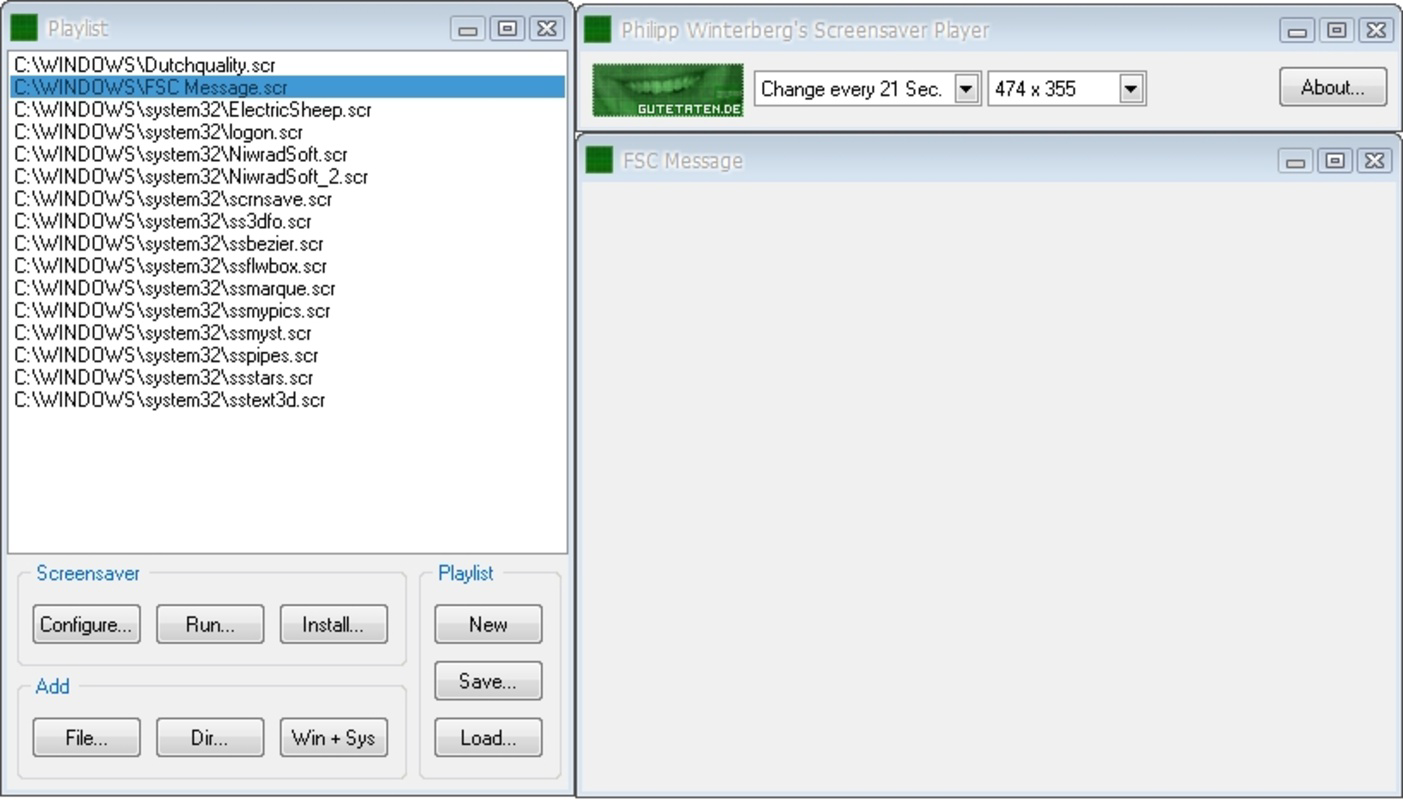
- Playlist Creation: Users can compile favorite screensavers into custom playlists, streamlining access to preferred visuals. This is especially useful for users with large collections who want to focus on a curated selection.
- User-Friendly Interface: The app features a clean, intuitive layout that simplifies navigation. Even users without technical experience can manage their screensavers with minimal learning curve.
These features combine to offer a dynamic idle experience. For instance, a user might schedule a relaxing ocean wave screensaver to activate during lunch breaks, then switch to a vibrant abstract animation during evening downtime. The ability to customize both timing and content makes the app highly adaptable to different lifestyles and preferences.
Interface, UX & Performance
Screensaver Player presents a streamlined interface designed for ease of use. The layout emphasizes clarity and direct access to core functions such as managing screensavers, setting schedules, and creating playlists. Navigation is logical, with menu items placed in predictable locations, reducing user confusion. Visual design elements are minimal yet effective, focusing on functionality without overwhelming the user with unnecessary graphics.
Although the developer did not list formal performance metrics, the app appears optimized for smooth operation across a range of mobile devices. Users can expect consistent responsiveness when switching between screensavers or adjusting settings. Stability is likely maintained due to the app’s long-standing release history, suggesting regular maintenance and updates. The app functions reliably during idle periods, activating screensavers without lag or delay. While specific device compatibility details were not disclosed, the interface is designed to scale well across different screen sizes and resolutions.
Platform Compatibility & Technical Requirements
Screensaver Player is available on Android, supporting the latest versions of the operating system. The app has a file size of 12.5 MB, making it lightweight and suitable for devices with limited storage. The software version is 1.0, indicating a stable release with foundational features. Although the developer did not specify minimum OS requirements, the app’s release date of February 26, 2010, suggests it has evolved through multiple updates to maintain compatibility with modern devices.
Users can download and install the app directly from official Android channels. The app does not require special permissions beyond standard access to display and storage, which are necessary for displaying visuals and managing files. No additional hardware requirements were listed, making it accessible to a broad range of Android users.
Pros and Cons
Pros
- Intuitive interface suitable for non-technical users
- Supports custom scheduling for dynamic visual experiences
- Allows playlist creation for favorite screensavers
- Lightweight file size (12.5 MB)
- Stable performance with minimal resource usage
Cons
- Specific OS version requirements were not disclosed
- No information on update frequency or developer support
- Limited to Android platform
- Does not include built-in screensaver library
- Interface may appear outdated compared to modern apps
FAQ
Is Screensaver Player safe to download and install?
Yes, the app is available through official Android distribution channels and does not require root access. As with any app, it is recommended to download from trusted sources to ensure security.
Can I use my own screensaver files with this app?
Yes, the app supports user-uploaded screensaver files, allowing you to import and manage your own visual content.
Does Screensaver Player work on iOS devices?
Currently, the app is only available on Android. There is no official iOS version available.
How often are updates released for Screensaver Player?
The developer has not disclosed the update schedule. However, the app has remained functional since its 2010 release, suggesting ongoing maintenance.
What file formats are supported for screensavers?
The app supports common video and animation formats, though specific details were not provided in the release information.
Final Thoughts
Screensaver Player offers a unique and practical solution for users who want to transform their mobile device’s idle state into a personalized visual experience. Its core features—scheduling, playlist management, and customization—combine to deliver a level of control typically found in desktop software, now adapted for mobile use. While the interface may not reflect the latest design trends, its functionality remains solid and reliable. The app is ideal for digital art lovers, productivity-focused users who appreciate ambient visuals, and anyone looking to enhance their device’s aesthetic appeal.
Despite limited information on updates and compatibility, the app’s long-standing presence in the ecosystem speaks to its durability. For those seeking a lightweight, secure tool to manage and display screensavers on Android, Screensaver Player delivers consistent value. It’s a niche but well-executed utility that stands out in a crowded app market.
Download Screensaver Player now
Guides & Tutorials
How to install Screensaver Player
- Click the Download button above.
- Once redirected, accept the terms and click Install.
- Wait for the Screensaver Player download to finish on your device.
How to use Screensaver Player
This software is primarily used for its core features described above. Open the app after installation to explore its capabilities.
User Reviews
No reviews yet. Be the first to share your experience.
You may also like
more
Que no te pillen¡
About !Que no te pillen¡Reviewed by Jason A. BilbreyShow MoreShow Less

3D Combat Zone
About 3D Combat ZoneOriginally released in 1983, 3D Combat Zone immerses players...

666: El día del portal
About 666: El día del portalOn June 6, 2006, Agent P. Stone uncovers a sinister...

80 in 1 Best Flash games
About 80 in 1 Best Flash games 80 in 1 Best Flash games is a collection of 80 fl...

ABYSS SEEKERーーWhat Do You See Deep in The Abyss
About ABYSS SEEKERーーWhat Do You See Deep in The AbyssIn ABYSS SEEKER, players...

ACA NEOGEO THE KING OF FIGHTERS 2002 for Windows
About ACA NEOGEO THE KING OF FIGHTERS 2002 for WindowsTHE KING OF FIGHTERS 2002,...